How to Dunk in First Person Basketball
Approach angles, Space timing, and clearer dunk framing after the Nov 5 patch.
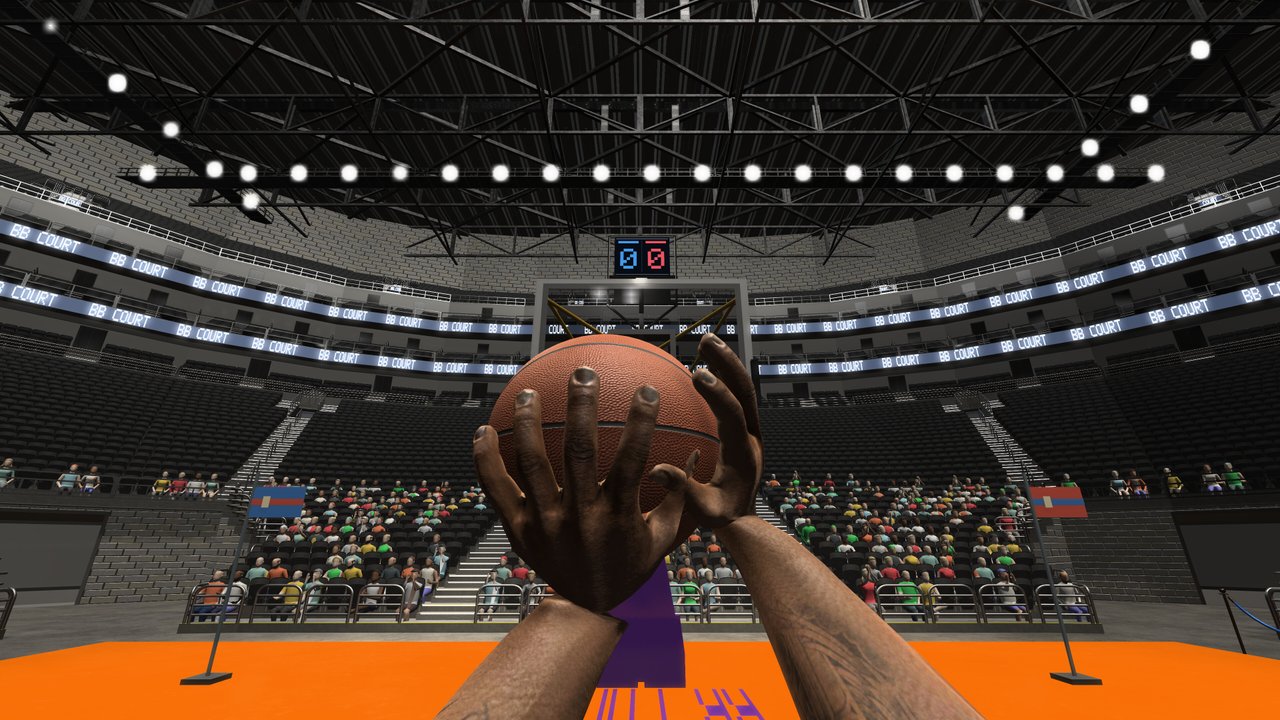
Dunking in First Person Basketball is about line, gather, and jump timing seen through your own eyes. On Steam (纸上谈兵工作室, app 5478590), you drive with WASD, rise with Space, and steer the finish with the mouse. The November 5, 2026 patch improved dunk framing, so finishes should read more clearly than on the November 4 launch build. This guide turns that clarity into consistent practice — then into online 1v1–5v5 pressure.
Warm up with Controls if Space and movement still feel disconnected. If pull-ups are your weak point instead, use How to Shoot and save dunks for real paint windows.
What a good dunk attempt looks like
- Angle — Approach from a wing or slot where you can see the rim early. Straight-on panic sprints reduce adjustment time.
- Speed control — Arrive fast enough to beat the helper, not so fast that you cannot square up.
- Gather — Last steps plant with intent. Crossovers or hop steps can set the gather if a defender is in your path.
- Space — Jump when the gather finishes, not a full second early.
- Frame — Keep the rim in view through takeoff. Improved dunk framing after November 5 rewards clean takeoffs with a more readable finish presentation.
Missed dunks usually fail on steps 2–4, not because the game “refused” a random button.
Approach angles that work in first person
First-person depth perception makes some angles kinder:
- 45-degree wing attacks — You see the rim expand naturally as you close. Great default drill side.
- Baseline partial curls — Useful when a defender shades you middle; keep mouse pressure toward the hoop so you do not run out of bounds visually.
- Euro-style redirect — Use a late A/D adjust before Space so the help defender commits to the wrong shoulder.
Avoid only practicing middle-straight rams. Online shot-blockers sit on that line. Mix approaches so your Space timing stays honest from multiple views.
Space timing for dunks vs jumpers
Jumpers want a rise-and-release cadence. Dunks want a rise-and-extend cadence. Practical cues:
- If you leave early, you float and become a block target.
- If you leave late, you under-jump or collide awkwardly.
- Count plant–plant–Space on empty court until the count matches contact height.
Because dunk framing was improved on November 5, use practice replays of your own takes (and online scoring replays when you finish through contact) to judge whether the takeoff was early or late. The same patch also cleaned online scoring replays and reduced multiplayer overhead, which helps you review without as much session friction.
Using crossovers and hop steps before the dunk
Skill moves are not decorations:
- Crossover into seam — Shift the defender’s feet, then W into the open lane for a one-gather dunk.
- Hop step gather — Convert speed into a controlled plant when you need a power finish instead of a wild leap.
- Fake the pull-up — Show a hop-step jumper shape, then continue to the rim when the defender jumps.
Link these with the offensive habits from the shooting guide so defenders cannot guess “shot only” or “dunk only.”
Practice court dunk curriculum
Spend a focused block in practice alone before AI:
Block A — Empty finishes (10 minutes)
- 10 dunks from the right wing at controlled speed.
- 10 dunks from the left wing.
- 10 middle approaches with a late A/D dip.
Reset fully between reps. Quality over continuous sprinting.
Block B — Gather variety (10 minutes)
- Alternating crossover-to-dunk and hop-step-to-dunk.
- Two-dribble max into Space — punish over-dribbling early.
Block C — Camera check (5 minutes)
Try the same five finishes on Stable Camera (default after November 5) and, if curious, on Dynamic Camera. Most learners should stick with Stable until finishes feel automatic. Details live in Camera Settings.
Also confirm hands render correctly in practice after visiting the Controls menu — that bug was fixed on November 5. Dunk drills are useless if your view of the arms is broken on an outdated build.
Dunking against AI
AI adds contests without lobby stress:
- Attack closeouts when the AI lunges.
- Protect the ball through the gather; steals exist.
- If the AI establishes early vertical position, pass up the dunk for a short pull-up or a kick-out in multi-player modes later.
Goal: finish a set number of clean dunks, not total attempts. Counting makes you honest about bad angles.
Online dunk decision-making (1v1–5v5)
1v1 — If you beat your man cleanly, dunking ends the play and can tilt momentum. If they recover in time, a hop-step jumper may be higher percentage.
Small-sided (2v2–3v3) — Help comes faster. Prefer dunks when help is late or when you win the race to the front of the rim.
5v5 — Crowded paint. Take dunks you earn on rotations and putbacks of opportunity; do not truck into three vertical defenders just because Space exists. Read Multiplayer for session pacing around these choices.
After scores, watch the improved scoring replays when available. Ask: Did framing look centered? Did I jump early? Did a steal opportunity exist mid-gather?
Contact, blocks, and live rejections
Blocks are part of the published defensive kit. To dunk through or around them:
- Change launch shoulder with a late strafe.
- Avoid telegraphing Space from three steps away every drive.
- Sometimes the best dunk is the one you skip — a kick or pull-up after a pump keeps blockers honest.
On the other side, practice your own blocks in AI so you understand what dunkers see. Empathy improves both ends.
November 5 patch notes that matter for dunkers
- Improved dunk framing — Cleaner visual read on finishes.
- Stable Camera default — Steadier view for approach and takeoff learning.
- Practice hands fix after Controls menu — Reliable body view while drilling.
- Better online scoring replays — Stronger post-play feedback.
- Reduced multiplayer overhead — Smoother sessions while you practice live decisions.
Update through Steam if you installed on launch day only. Minimum platform remains Windows 11 64-bit with about 2 GB storage — dunking does not need fantasy hardware, just a current build.
Common dunking mistakes
- Only practicing middle-straight approaches.
- Jumping with Space before the gather completes.
- Ignoring Stable Camera while blaming “bad dunks.”
- Forcing dunks into set shot-blockers every possession.
- Never reviewing framing after the November 5 improvement.
- Skipping practice and AI, then wondering why 5v5 finishes fail.
Related reading and next steps
Return to the Guides Hub when you want the full map. Combine dunk days with shooting days so your offense stays two-threat. Use Getting Started for friends who still need install help, and the Updates Hub when future patches touch finishing or camera again.
Dunking in First Person Basketball rewards lines you can see and jumps you can time. Walk the approach slowly, then add speed, then add defenders. Let the November 5 framing polish show you what a clean finish looks like — and chase that picture every session.
Frequently Asked Questions
Quick answers to the most common First Person Basketball questions.
How do I dunk in First Person Basketball?
Drive with WASD on a clear angle, gather with controlled steps or a hop step, then jump with Space while keeping the rim framed with the mouse.
What did the November 5, 2026 patch change for dunks?
Dunk framing was improved so finishes are easier to read. The patch also set Stable Camera as default, fixed practice hands after the Controls menu, improved online scoring replays, and reduced multiplayer overhead.
Should I dunk every time I reach the paint?
No. If a defender is set for a block or help is early, a short pull-up or pass can be better. Dunk when you win the race or create a clear lane.
Stable or Dynamic Camera for dunk practice?
Use Stable Camera while learning approaches and timing. It is the default after November 5. Try Dynamic later only if you prefer more motion.
Where should I practice dunks first?
Start in practice alone for angles and Space timing, add AI for contests and steals, then apply finishes in online 1v1 before crowded 5v5 paints.