First Person Basketball Full Release — November 4, 2026
Demo ends, the paid game goes live, and what to do on day one.
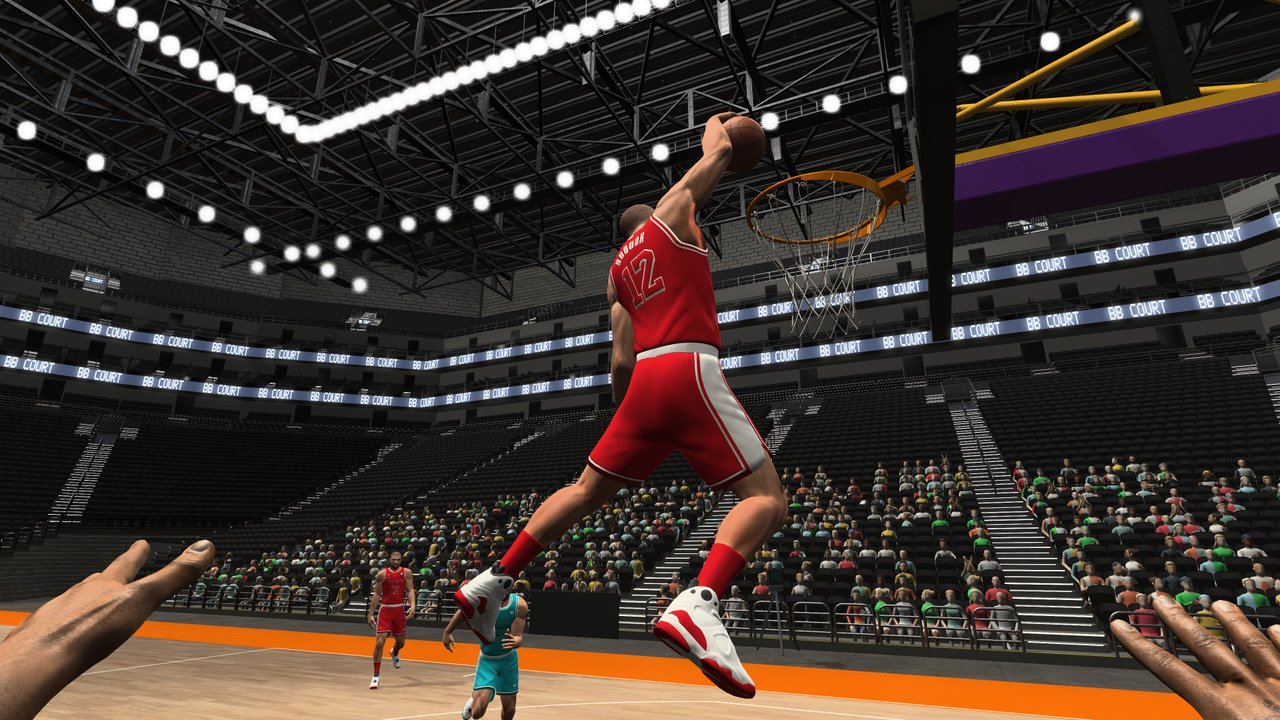
On November 4, 2026, First Person Basketball left early access–style demo play and shipped as a full Steam release. The game is developed by 纸上谈兵工作室, listed as Steam app 5478590, and targets Windows PCs. This page is an unofficial fan summary of launch-day facts players ask about most: what happened to the demo, which modes are live, how pricing works, and how to structure your first session. Always confirm store text and news posts on Steam before you buy or update.
For the day-after presentation fixes, read the Camera & Replay Patch (Nov 5). For a guided first hour, use Getting Started. Broader patch chronology lives on the Updates Hub. Store and community entry points are collected on the Links Hub. Hardware baselines are spelled out on System Requirements.
What launched on November 4
Launch day means the full product is available to purchase and download on Steam. The fantasy the store sells is straightforward: first-person basketball with a short control set—WASD, Space, and the mouse—across practice, AI, and online sessions from 1v1 through 5v5. You are not unlocking a giant ability tree; you are learning timing, angles, and decision-making from the player’s eyes.
This wiki is not affiliated with the developer or Valve. There are no Roblox codes, redeem pages, or fake gift systems here. If another site promises “daily codes” for First Person Basketball, treat it as unrelated spam.
Demo status: ended at full launch
The public demo lived under a separate Steam app id (5484390). Near the end of the demo window, that build still saw maintenance—players noted a room-list oriented update around October 31, 2026. When the full game shipped on November 4, the demo period ended with launch. Plan on buying and installing the main app if you want to keep playing after that cutoff.
Practical takeaways
- Do not expect the demo app to remain a permanent free forever version of the full game.
- If friends still have demo shortcuts pinned, point them to app 5478590 instead.
- Skills you learned in the demo—jumper timing, layup angles, camera comfort—still transfer; settings and builds may need a fresh check after you install the retail package.
Modes available at launch
Expect three complementary ways to play:
- Practice — Isolated reps for shooting, finishing, and camera feel without lobby pressure.
- AI — A bridge between empty-gym drills and human opponents; useful for help-defense reads.
- Online multiplayer — Human games spanning 1v1, 2v2, 3v3, 4v4, and 5v5 depending on the room you join or host.
Online etiquette and version matching matter immediately—see Multiplayer and the version reminders on the Camera & Replay Patch page. Input basics stay on Controls.
Price and introductory sale
Launch pricing sits near US $1.99, with regional Steam pricing applying as usual. An introductory discount of about 15% was advertised around launch, with that intro offer scheduled to end on November 18, 2026. After that date, expect the regular listed price unless a later sale appears on the store page.
Buying checklist
- Confirm the app id 5478590 so you are not installing an unrelated title.
- Read the live Steam price block for your region on purchase day.
- Check System Requirements before you buy—especially the Windows 11 64-bit baseline and the ~2 GB storage note (disk space, not RAM).
- Wishlist or follow the store page if you are waiting for a future discount after the intro window.
Official purchase and news links are curated on the Links Hub.
What changed one day later (why you should also read Nov 5)
Launch day excitement often collides with first-person presentation bugs. On November 5, 2026, a follow-up update addressed Stable Camera defaults, practice hand visibility, dunk framing, online scoring replays for non-hosts, multiplayer processing cost, and a hard reminder to match game versions before online play. Camera jolts and some online control interruptions were still under investigation at that time.
If you only read this launch page, you will miss those fixes. Treat the Camera & Replay Patch as required reading for anyone who installed on November 4–5. Camera comfort and sensitivity habits are expanded in the Settings Guide.
Recommended first-session plan
Use this sequence whether you came from the demo or are brand new:
- Install and verify — Download app 5478590, restart Steam if an update toast appears, then launch once to finish first-run setup.
- Confirm hardware fit — Skim System Requirements. You need Windows 11 64-bit and roughly 2 GB of free storage; empty CPU/GPU fields on the store still mean you should verify on a real machine.
- Open Settings — Note whether you are on Stable Camera (default for new players after the Nov 5 patch) or Dynamic Camera. Both share gameplay rules; pick readability over flash. Details: Settings Guide.
- Practice block (15–20 minutes) — Ten catch-and-shoot jumpers, ten layups, ten dunk approaches. Watch hands and rim contact. If anything looks wrong after visiting Controls, re-test using the Nov 5 notes.
- One AI game — Translate open finishes into traffic without lobby pressure.
- Online only when versions match — Ask every friend to update and restart before you host 1v1–5v5. See Multiplayer.
- Skill pages — When you are ready for deeper reads, open How to Shoot, How to Dunk, and the Tier List Hub.
A fuller onboarding narrative lives in Getting Started.
How this fits the Updates Hub
The Updates Hub is the index for patch-oriented articles. This Full Release page covers the November 4 commercial launch and demo cutoff. The Camera & Replay Patch covers the November 5 presentation and online replay package. Future hotfixes should get their own child pages rather than silently rewriting history here.
When you report bugs, include mode (practice / AI / online), camera type, party size, host vs client, and whether everyone matched versions. That habit is repeated across our tools pages because it is what developers can actually act on.
FAQ mindset for launch week
Players commonly ask whether the demo still works, whether the sale is permanent, whether the game needs a high-end GPU, and whether “codes” exist. Short answers: demo ended at full launch; the ~15% intro is time-boxed through mid-November 2026; the published footprint is modest storage on Windows 11; and this title is a Steam PC basketball game without Roblox-style code drops. For troubleshooting symptoms that showed up around launch—missing practice hands, camera jolts, version mismatch—use the dedicated Troubleshooting Guide once that page is in your reading list, and keep the Nov 5 patch article bookmarked.
Closing
November 4, 2026 is the day First Person Basketball became a buyable full release on Steam. Install the correct app, respect the demo cutoff, learn the three mode lanes, spend your first hour in practice and AI, then take matched-version lobbies online. Come back to the Updates Hub whenever Steam news drops another package, and use Getting Started plus the Links Hub whenever you need orientation instead of patch minutiae.
Play deliberate. Warm up. Match versions. That launch-week discipline matters more than chasing rumor sites.
Frequently Asked Questions
Quick answers to the most common First Person Basketball questions.
When did First Person Basketball fully release?
The full Steam release for app 5478590 went live on November 4, 2026 for Windows PCs.
What happened to the demo?
The demo (app 5484390) ended at full launch. Near the end it still received maintenance such as an October 31 room-list update, but continued play after November 4 requires the full game.
How much does the game cost at launch?
List price is about US $1.99 with regional Steam pricing. A roughly 15% introductory offer was tied to launch and scheduled to end November 18, 2026—confirm the live store widget.
Which modes are available?
Practice, AI, and online multiplayer from 1v1 through 5v5, using WASD, Space, and mouse controls.
What should I read after installing on launch day?
Start with Getting Started, then the November 5 Camera & Replay Patch notes, Settings Guide, and System Requirements. Use the Updates Hub for the full patch index.