First Person Basketball Multiplayer
Online 1v1–5v5 tips, scoring awareness, and November 5 performance polish.
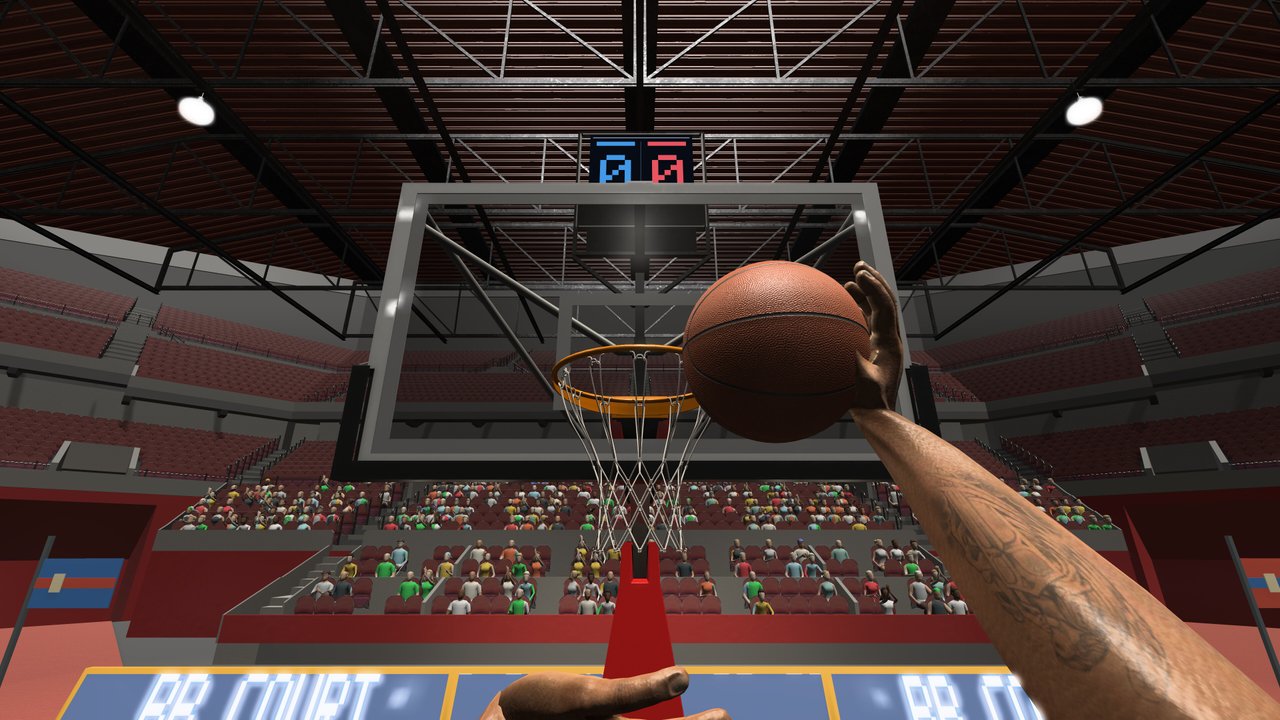
First Person Basketball on Steam is built for live games: online multiplayer scales from 1v1 to 5v5, with practice alone and AI opponents as the training ladder underneath. Released November 4, 2026 by 纸上谈兵工作室 (app 5478590, about $1.99 USD), the title asks you to bring first-person shooting and finishing into human lobbies. This guide covers how to prepare, how formats differ, and what the November 5, 2026 patch changed for online scoring replays and multiplayer overhead.
There are no redeem codes and no Roblox scripts — only Steam matchmaking and your WASD + Space + mouse craft. Warm up with Getting Started and Controls if this is day one.
Modes around multiplayer
| Mode | Purpose |
|---|---|
| Practice alone | Movement, shooting, dunk timing, camera tests |
| AI opponents | Contested shots, steals, blocks without lobby wait |
| Online 1v1–5v5 | Human timing, spacing, and pressure |
Treat practice and AI as mandatory warm-ups, not optional extras. Five to ten minutes of empty-court hop-step jumpers and one AI set will save you from gifting easy steals in your first online possession.
Format differences that change your decisions
1v1
Everything is on you. Crossovers, hop steps, fadeaways, and dunks need clean creates. Defense is personal — your steal and block timing decide stops. Use 1v1 to measure raw skill after reading How to Shoot and How to Dunk.
2v2 and 3v3
Help defense arrives faster than 1v1 but paints are less crowded than 5v5. Extra passes appear. Take the first good look; over-dribbling into two defenders is how possessions die. Communicate simply: who pressures ball, who covers rim.
5v5
Full-court chaos in first person. Off-ball players must still face useful directions with the mouse — you cannot defend what you never look at. Prefer catch-and-shoot when help collapses, and save hero dunks for rotations you actually beat. Crowded paints punish greed.
Pre-queue checklist
- Confirm Steam is updated and the game build includes the November 5 patch or later.
- Set Stable Camera unless you have already earned a Dynamic preference (Camera Settings).
- Verify practice hands render after any Controls visit (fixed November 5).
- Take ten intentional practice shots and two dunk angles.
- Play a short AI set focusing on one defensive habit (no gambling steals).
- Queue the smallest online format you care about improving first (often 1v1).
November 5 online improvements
The day-after-launch patch matters for multiplayer specifically:
- Improved online scoring replays — Better post-make feedback so you can study release and framing.
- Reduced multiplayer overhead — Leaner online sessions; update if launch-day builds felt heavier than they should.
- Stable Camera default — Steadier aim baseline for contested online looks.
- Dunk framing improvements — Clearer finishes when you do win the paint.
- Practice hands fix — Reliable warm-ups before you queue.
If friends on older installs complain about replays or hitching, tell them to update before you blame networking alone.
Scoring awareness in live games
Online scoring is still the same pipeline — create, square, rise, release — under worse conditions. Habits that hold up:
- Shot selection over shot amount. An open hop-step jumper beats a contested fade into help.
- Use replays. After November 5’s replay polish, watch whether you jumped early or aimed off.
- Punish over-helps. If a defender bites on a pump, drive and finish or kick in team formats.
- Protect the gather. Steals punish predictable pickups; mix cadence.
Track personal rules like “no threes until two midrange makes” in 1v1 sessions. Rules create learning; vibes do not.
Defense in human lobbies
Humans pump-fake and hesitate. Guidelines:
- Mirror with WASD; keep chest in front.
- Time Space for real elevation contests, not every shoulder fake.
- Steal when the ball is exposed, not when you are trailing.
- After a stop, turn with the mouse immediately — first-person transition defense starts with view reorientation.
In 5v5, call out ball and help with short voice or text cues if your group has them. Even without voice, consistent positioning beats random hero contests.
Session structure that avoids tilt
Online basketball tilts fast when first-person misses feel personal. Structure the night:
- Warm-up block — Practice + AI (10–15 min).
- Focus set — 1v1 or small-sided with one goal (for example, only hop-step pull-ups on offense).
- Short break — Stand up; Stable Camera helps comfort but breaks still matter.
- Flexible set — 5v5 or freer offense.
- Hard stop — End while you can still name two lessons.
Reduced multiplayer overhead after November 5 helps longer nights, but your attention span remains the limit. The game only needs Windows 11 64-bit and about 2 GB storage — it will outlast your focus if you let it.
Playing with friends vs solo queue
With friends, agree on camera defaults and callouts before tip. Share links to Controls and this page so language matches. Solo queue players should favor 1v1/small-sided while building consistency; diving straight into hostile 5v5 as a brand-new first-person player creates false conclusions about the game’s shooting model.
Sportsmanship and expectations
First Person Basketball is inexpensive and competitive. Expect sweaty 1v1s and chaotic 5v5s. What you should not expect: redeem codes, battle-pass style scripts, or console parity claims not listed on the Steam page. Stick to verified systems: practice, AI, online 1v1–5v5, WASD/Space/mouse skills, and the November 5 camera/replay/performance notes.
Common multiplayer mistakes
- Skipping warm-ups, then blaming “online latency” for bricks.
- Switching camera mid-session after every miss.
- Forcing dunks into set rim protectors in 5v5.
- Gambling steals every possession in 1v1.
- Ignoring scoring replays after the patch that improved them.
- Playing only 5v5 and never measuring raw 1v1 skill.
- Staying on a pre–November 5 build while friends enjoy smoother overhead and clearer replays.
Bridging guides into live play
- Use How to Shoot drills as your warm-up script.
- Use How to Dunk angles when you beat a closeout.
- Use Camera Settings before the queue, not during it.
- Return to the Guides Hub when you need the full map.
- Watch the Updates Hub for future Steam notes that touch netcode, modes, or camera again.
Sample first online week
Day 1–2 — Practice + AI + short 1v1 sets; Stable only.
Day 3 — Add 2v2/3v3; practice one off-ball habit (face the ball).
Day 4 — Review scoring replays from your best and worst makes.
Day 5 — Optional 5v5 once small-sided shots feel calm.
Day 6–7 — Repeat weak format; do not inflate ego with only favorable lobbies.
Multiplayer is where First Person Basketball proves whether your practice transferred. Update past November 5, warm up on Stable, pick a format on purpose, and let clearer replays teach faster than frustration will. When the session ends, you should know one offensive fix and one defensive fix — then drill those tomorrow before you queue again.
Frequently Asked Questions
Quick answers to the most common First Person Basketball questions.
What online formats does First Person Basketball support?
Online multiplayer ranges from 1v1 to 5v5. You can also practice alone or play against AI before you queue.
What multiplayer changes arrived on November 5, 2026?
Online scoring replays were improved and multiplayer overhead was reduced. The same patch set Stable Camera as default, improved dunk framing, and fixed missing hands in practice after the Controls menu.
Should new players start in 5v5?
Prefer practice, AI, and 1v1 or small-sided games first. 5v5 adds spacing chaos that hides fundamentals you still need to build.
How should I warm up before online matches?
Spend several minutes in practice on hop-step jumpers and dunk angles, optionally play a short AI set, confirm Stable Camera, then queue.
Are there codes for multiplayer rewards?
No. First Person Basketball on Steam has no redeem codes and is not a Roblox game. Progress comes from play and practice.