First Person Basketball Crossovers & Hop Steps
Create space with the Steam-listed skill moves—then finish.
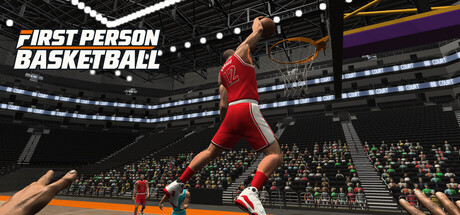
First Person Basketball on Steam advertises on-court actions built from WASD, Space, and the mouse—including crossovers, hop steps, fadeaways, steals, and blocks. This guide focuses on the two create tools that start most scoring possessions: crossovers and hop steps. Fadeaways belong with shooting craft (How to Shoot); steals and blocks live in Defense, Steals & Blocks.
Developer/publisher: 纸上谈兵工作室. App id: 5478590. Full release: November 4, 2026. Camera default after November 5: Stable Camera (Dynamic still available). This wiki is unofficial. There are no codes and no Roblox scripts—only deliberate reps in practice, AI, and online 1v1–5v5.
Why dribble moves matter in first person
Third-person basketball games let you see the defender’s feet around your avatar. In first person, you see what the player sees. A crossover or hop step is not a highlight animation for its own sake—it is a camera-safe way to change the defender’s angle so your next mouse aim at the rim is cleaner. One decisive move into a planned finish beats three decorative dribbles that lose the handle.
Core create toolkit
| Move | Role | Typical next finish |
|---|---|---|
| Crossover | Horizontal separation; shift the defender’s feet | Pull-up jumper, straight drive layup, clear-lane dunk |
| Hop step | Gather into a controlled plant | Settled jumper, angled layup, gathered dunk |
| Fadeaway | Lean create-space when draped | Contested jumper (harder aim) |
Open the in-game Controls menu to confirm how your build labels skill inputs. After any Controls visit, re-enter practice and confirm hands render—the November 5, 2026 patch fixed missing shooting arms in that flow.
Crossovers
What they do
A crossover combines a directional WASD shift with the mouse-driven skill input to move the ball across your body and force the defender to recover laterally. Use it on the perimeter before a pull-up, or as the first beat of a straight-line drive.
How to practice
- Stand at the top of the key in practice.
- Face the rim with the mouse.
- Execute one crossover into a two-dribble pull-up.
- Reset. Do not chain three crossovers “for style.”
- Against AI, take the first open look the crossover creates.
When crossovers fail
- Spamming without a planned finish—handles get stolen (see defense habits).
- Looking away from the rim during the move—first-person recovery is slow.
- Crossing into help in 5v5—kick instead; read Passing & Team Play.
Hop steps
What they do
A hop step gathers momentum into a controlled plant. It shines when you need a clean base for a jumper or a gathered finish without chaotic traveling-feeling movement. Think of it as the bridge between a drive and a settled release.
How to practice
- Drive with W from the wing.
- Trigger the hop step gather as you enter your comfortable mid-range or paint window.
- Rise with Space into a jumper, layup, or dunk depending on help.
- Film the decision mentally: open glass → layup; empty lane → dunk; soft closeout → jumper.
Hop step checklist
- Feet plant before you mash Space.
- Mouse keeps the rim readable through the gather.
- Camera mode is locked before the drill (Camera Settings).
- You stop the drill when fatigue makes gathers late.
Combining creates into finishes
Crossover → pull-up
Best in 1v1 when the defender overreacts to the first jab. Square up, hop or settle, release. Ranked as an A-tier pull-up pattern on Best Finishes.
Crossover → straight dunk
Best on a clear lane. November 5 improved dunk framing—use the clearer hand-to-rim feedback. If help is already there, convert to a layup instead of forcing a poster.
Hop step → layup
The workhorse paint sequence. Gather, angle glass, Space. High floor in practice and AI before online.
Hop step → fadeaway
Use when the defender stays glued after the gather. Harder aim in first person; groove it on Stable Camera first.
Camera and sensitivity while creating
Stable Camera (default for new players after November 5) keeps the horizon steadier during lateral crosses. Dynamic Camera adds motion that some freestyle drivers like—but retune mouse sensitivity if you switch modes. Change one variable per practice block: either camera or sensitivity, not both. Full settings flow: Settings Guide.
Session structure (30 minutes)
- 5 min — WASD orbits with rim locked (movement hygiene from Controls).
- 8 min — Crossover → pull-up only.
- 8 min — Hop step → layup / dunk decision tree.
- 5 min — AI: one create max per possession.
- 4 min — Short online 1v1 applying only the two patterns you drilled.
Before online rooms, match game versions with friends. Developer notes after launch asked players whether they could create rooms, see rooms in the list, join, and stay connected—see Create & Join Rooms and the Demo Rooms Update history.
Mode ladder
Practice — Muscle memory without steals pressure.
AI — Contested creates; learn when not to cross into help.
Online 1v1 — ISO craft; crossover and hop step volume rises.
Online 5v5 — Fewer dribbles, earlier passes; creates set up kick-outs more than hero ISOs.
Common mistakes
- Learning moves only in online lobbies.
- Changing camera mid-possession after a missed crossover pull-up.
- Ignoring the Controls → practice hands fix from November 5.
- Treating crossovers as the finish instead of the setup.
- Forcing hop-step dunks into set rim protectors.
Related reading
- Controls — Full WASD + Space + mouse map.
- How to Layup — Paint conversion after creates.
- How to Dunk — Clear-lane finishes.
- How to Shoot — Pull-ups and fadeaways.
- Guides Hub — Full map.
- Updates Hub — When patches touch camera or online feel.
First Person Basketball keeps the create list short on purpose. Master crossover and hop step, attach them to jumper / layup / dunk decisions, and you are playing the game Steam actually described—not a fantasy move encyclopedia.
Frequently Asked Questions
Quick answers to the most common First Person Basketball questions.
Which dribble moves does First Person Basketball list?
The Steam store calls out crossovers, hop steps, and fadeaways among on-court actions built from WASD, Space, and the mouse. This guide focuses on crossovers and hop steps as create tools.
Should I spam crossovers?
No. Use one decisive crossover into a planned jumper, layup, or dunk. Extra dribbles invite steals and lose first-person rim orientation.
What is a hop step for?
A hop step gathers momentum into a controlled plant so you can rise into a jumper, layup, or dunk with a stable base.
Does camera mode change dribble feel?
Yes for comfort. Stable Camera (default after November 5, 2026) feels steadier for many players during lateral creates; Dynamic remains available with the same gameplay rules.
Where do I practice dribble moves?
Practice alone first, then AI, then online. Confirm practice hands after opening Controls on builds that include the November 5 fix.