How to Layup in First Person Basketball
Clean paint finishes with WASD, Space, and mouse—when layups beat dunks.
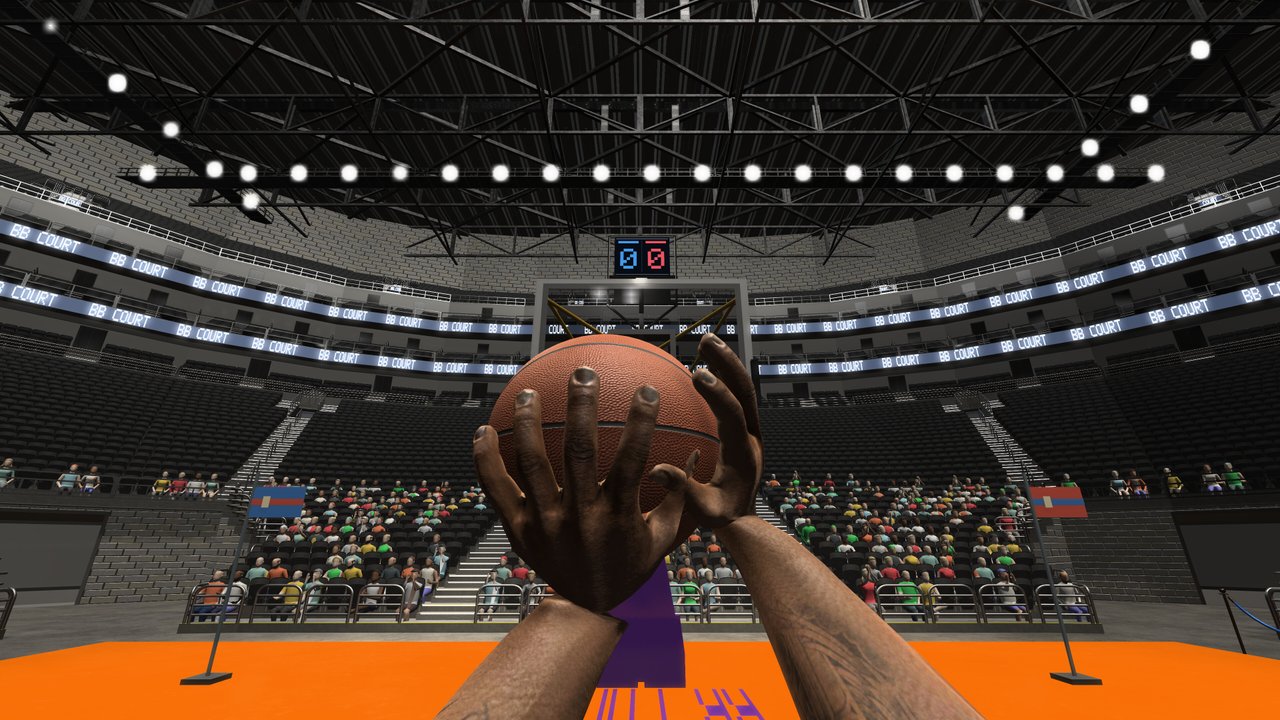
The Steam store for First Person Basketball (app 5478590, developer 纸上谈兵工作室) lists three core finishes: jumper, layup, or dunk. Jumpers and dunks already have dedicated guides on this wiki; this page is the missing layup deep dive. A layup is the high-floor paint finish you take when you beat a defender off the dribble, reach the rim with glass available, and do not need a full dunk gather. Controls stay the official kit: WASD to move, Space to leave the floor, and the mouse to aim the rim and body angle.
This is an unofficial fan guide grounded in the store description and the November 5, 2026 camera and dunk-framing patch. There are no redeem codes and no Roblox scripts. Pair this article with How to Shoot, How to Dunk, Controls, and the finish rankings on Best Finishes.
What a layup is in this game
In First Person Basketball, a layup is a close-range finish driven by momentum into the paint rather than a settled mid-range jumper. You approach with WASD, keep the rim in view with the mouse, and time Space so the ball reaches the glass or rim without turning into a wild contested dunk. The store explicitly groups layups with jumpers and dunks as the scoring toolkit—so treat layups as a first-class skill, not a failed dunk.
Layups win when:
- You have a clean angle and a trailing defender.
- Help is late but close enough that a dunk gather would get blocked.
- You need a quick two after a crossover or hop step create (Dribble Moves).
- First-person dunk framing feels rushed and you want the safer glass finish.
Core input sequence
- Create space with WASD and a skill move (crossover or hop step) so the first defender is behind or beside you.
- Face the rim with the mouse early—first-person depth makes late aim flicks miss the glass.
- Commit to the gather while still moving toward the basket.
- Press Space on the plant so you rise into the finish instead of floating early.
- Hold the rim plane through contact; do not whip the mouse away mid-air.
Exact on-screen prompt labels can vary by build. Open the in-game Controls menu after every major patch. The November 5 update fixed missing hands in practice after visiting Controls—confirm your arms render before you grind layup timing.
Approach angles that convert
Straight-line strong-side layup
Drive with W, keep the ball-side hip protecting, and rise when you are inside a comfortable paint distance. This is the S-tier clean layup described on the Best Finishes page. Use it in 1v1 when the defender is trailing after a blow-by.
Slight-angle glass layup
Strafe with A or D on the last two steps so you present the soft side of the rim. Angled gathers forgive small timing errors because the glass is larger in your first-person view than a pure rim dunk window.
Euro-style opposite-hand angle
When the primary side is cut off, change the gather angle with a late strafe and finish opposite. This is A-tier craft: harder than a straight layup, safer than jumping into a set chest.
Layup vs dunk vs jumper
| Situation | Prefer |
|---|---|
| Empty paint, clear lane, momentum | Dunk |
| Trailing defender, glass open, help nearby | Layup |
| Soft closeout outside the paint | Jumper |
| Draped defender, no drive lane | Fadeaway jumper |
| Crowded 5v5 paint with early help | Pass or pull-up—see Passing & Team Play |
The November 5 patch improved dunk framing so dunks are easier to read—but that does not mean every paint touch should be a dunk. Layups still out-earn forced posters when help is already set.
Camera notes for paint finishes
After November 5, Stable Camera is the default for new players; Dynamic Camera remains in Settings; both share the same gameplay rules. Many players find layup glass reads calmer on Stable because the horizon stays locked while you rise. Test both for ten layups each in practice, then lock one mode before online—see Camera Settings and the Settings Guide.
If the view jolts during a gather, note mode, camera type, and action for a bug report. Occasional camera jolts were still under investigation in the November 5 Steam notes.
Practice plan (25 minutes)
- 5 min — Empty-court straight gathers from the right wing only.
- 5 min — Same from the left wing; keep the rim centered with the mouse.
- 5 min — Slight-angle glass finishes after one crossover.
- 5 min — AI traffic: take the layup when help is late; kick or pull up when help is early.
- 5 min — Mix three layups and two dunks so you practice the decision, not only the button.
Log misses that were early Space, late Space, or aim drift. Tomorrow, only drill that failure mode. Warm up with Practice & AI before you queue Multiplayer.
Mode-specific tips
Practice alone — Isolate angle and Space timing. Confirm hands after any Controls visit.
AI opponents — Learn when a layup becomes a block magnet. AI is honest about help timing without lobby ego.
Online 1v1 — Layups punish trailing defenders. Mix with pull-ups so opponents cannot sit under the rim.
Online 5v5 — Prefer clean-angle layups after ball movement. Force-layups into a set low man create turnovers and fast breaks the other way. Create or join rooms with matched versions—see Create & Join Rooms.
Common layup mistakes
- Treating every paint touch as a dunk. The store lists layups for a reason.
- Looking with WASD instead of the mouse. Strafing cannot replace rim aim.
- Jumping too early. Early Space kills gather momentum.
- Whipping the mouse mid-air. Hold the rim plane through the finish.
- Ignoring Stable Camera after the November 5 default change.
- Skipping practice hands checks after opening Controls (fixed November 5—still verify).
Related reading
- How to Dunk — When the lane is empty.
- How to Shoot — When you should never enter the paint.
- Dribble Moves — Crossovers and hop steps that set up layups.
- Best Finishes — S/A/B ranking for layups vs dunks.
- Guides Hub — Full tutorial map.
- Updates Hub — Patch tracker when framing or camera notes change.
Master the layup as the default paint answer. Dunk for clear lanes, jumper for open space, layup for everything between. That three-finish diet matches what Steam actually advertises for First Person Basketball—and it wins more games than highlight hunting alone.
Frequently Asked Questions
Quick answers to the most common First Person Basketball questions.
Does First Person Basketball have layups?
Yes. The Steam store lists jumper, layup, and dunk as the core finishes. Layups use WASD approach, mouse aim, and Space timing near the rim.
When should I lay up instead of dunk?
Lay up when the angle is open but help is close enough to punish a dunk gather. Dunk on a clear lane; pull up or pass when the paint is packed.
Which camera is better for layups?
Stable Camera (the default after November 5, 2026) keeps the horizon steadier for many players. Dynamic remains available; both share the same gameplay rules—pick readability.
Why do my hands disappear while practicing layups?
A launch-window bug hid practice arms after visiting the Controls menu. The November 5, 2026 patch addressed it—update Steam, re-enter practice, and confirm hands render.
Where should I practice layups first?
Start in practice alone for angle and Space timing, add AI for help reads, then take clean-angle layups into online 1v1–5v5.